

Upgrade Deployment Overview
Prerequisites
There will be newer versions of RainMaker backend and frontend, which will be made available periodically.
With the introduction of the new deployment model (SAM), we will only support SAR upgrades. This section covers the upgrade process for both SAM (Serverless Application Model) and SAR (Serverless Application Repository).
Upgrading RainMaker Backend Components
To upgrade the RainMaker backend components, you first need to identify the deployment method used—either SAM or SAR. Follow the steps below to determine the correct deployment method.
Identifying the Deployment Method
-
Go to AWS Management Console
- In
Services, search forCloudFormation.

- In
-
View Stacks
- From the CloudFormation dashboard, select
Stacks.

- From the CloudFormation dashboard, select
-
Identify Stack Type
In the list of stacks:- If the stack name starts with "serverless-", then the deployment method is SAR.

- If the stack name does not start with "serverless-", the deployment method is SAM.
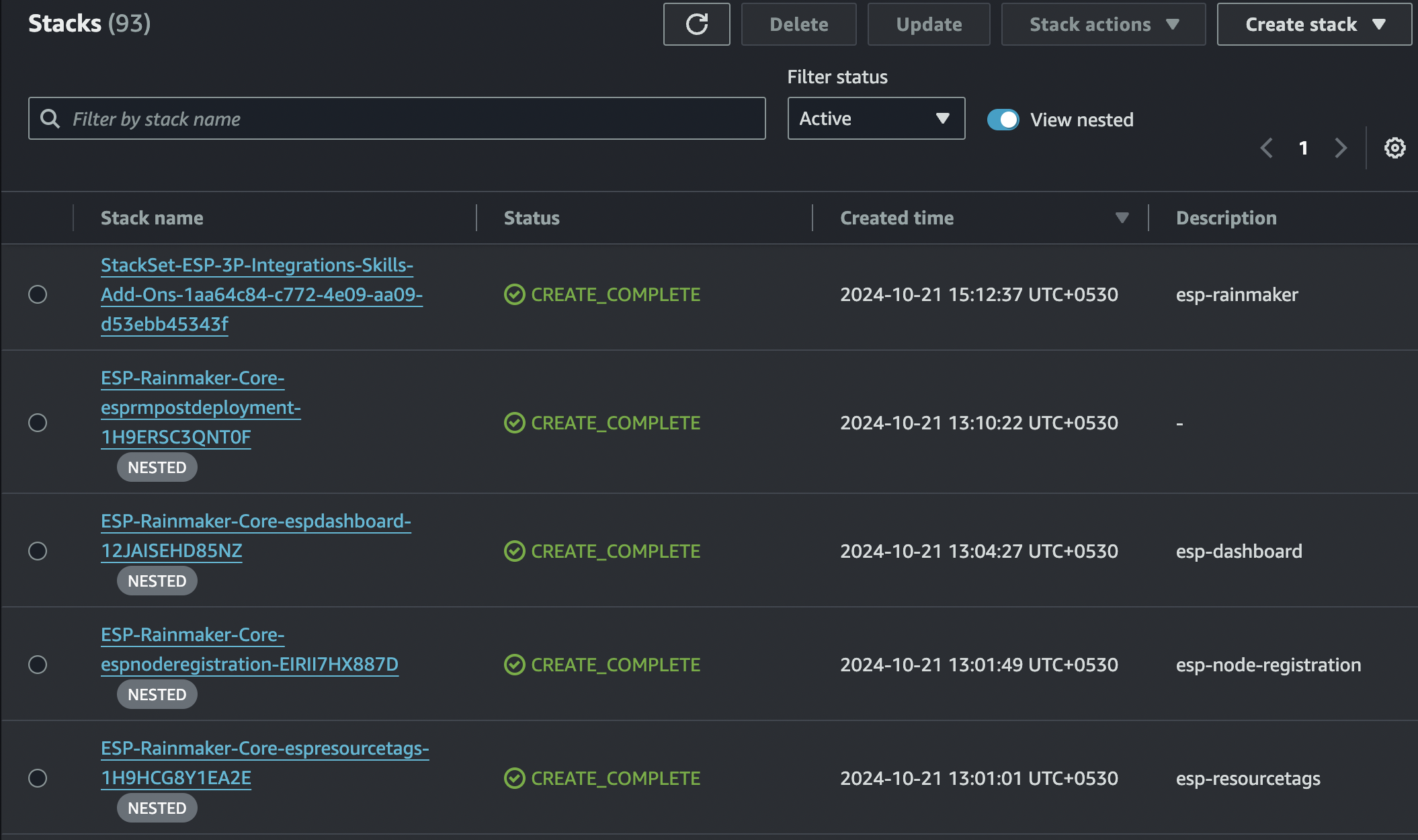
Use this information to follow the corresponding upgrade steps for SAM or SAR.
Available Upgrade Methods
Make sure to follow the instructions carefully and ensure all necessary backups are completed before starting the upgrade process.