

Deployment Settings
About
When logging into the dashboard for the first time, users need to first configure deployment-related information, which includes 11 modules, as shown in Figure 1. The following table explains the related information.
Figure 1: Deployment Setting Overview
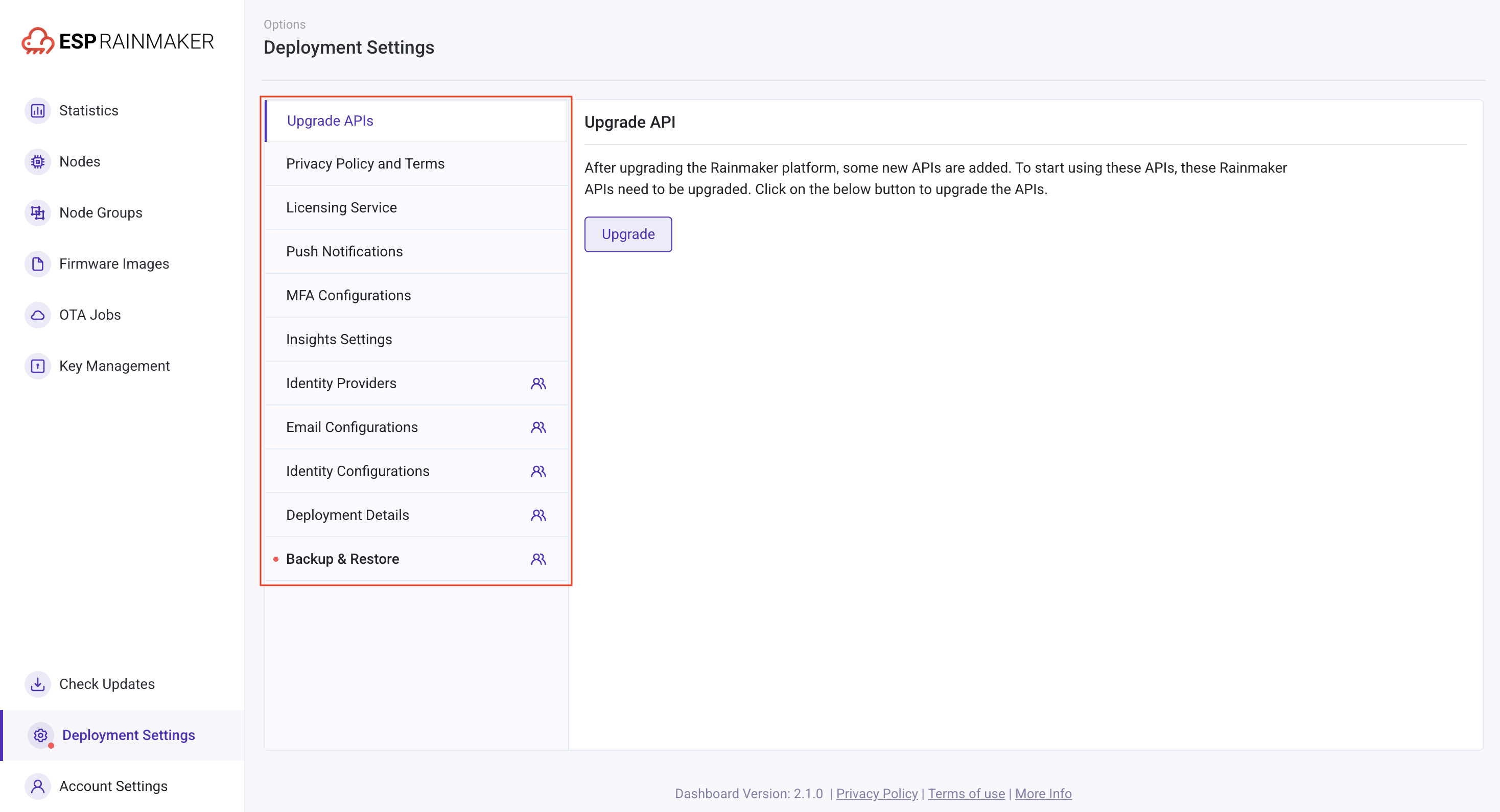
| Project | Description |
|---|---|
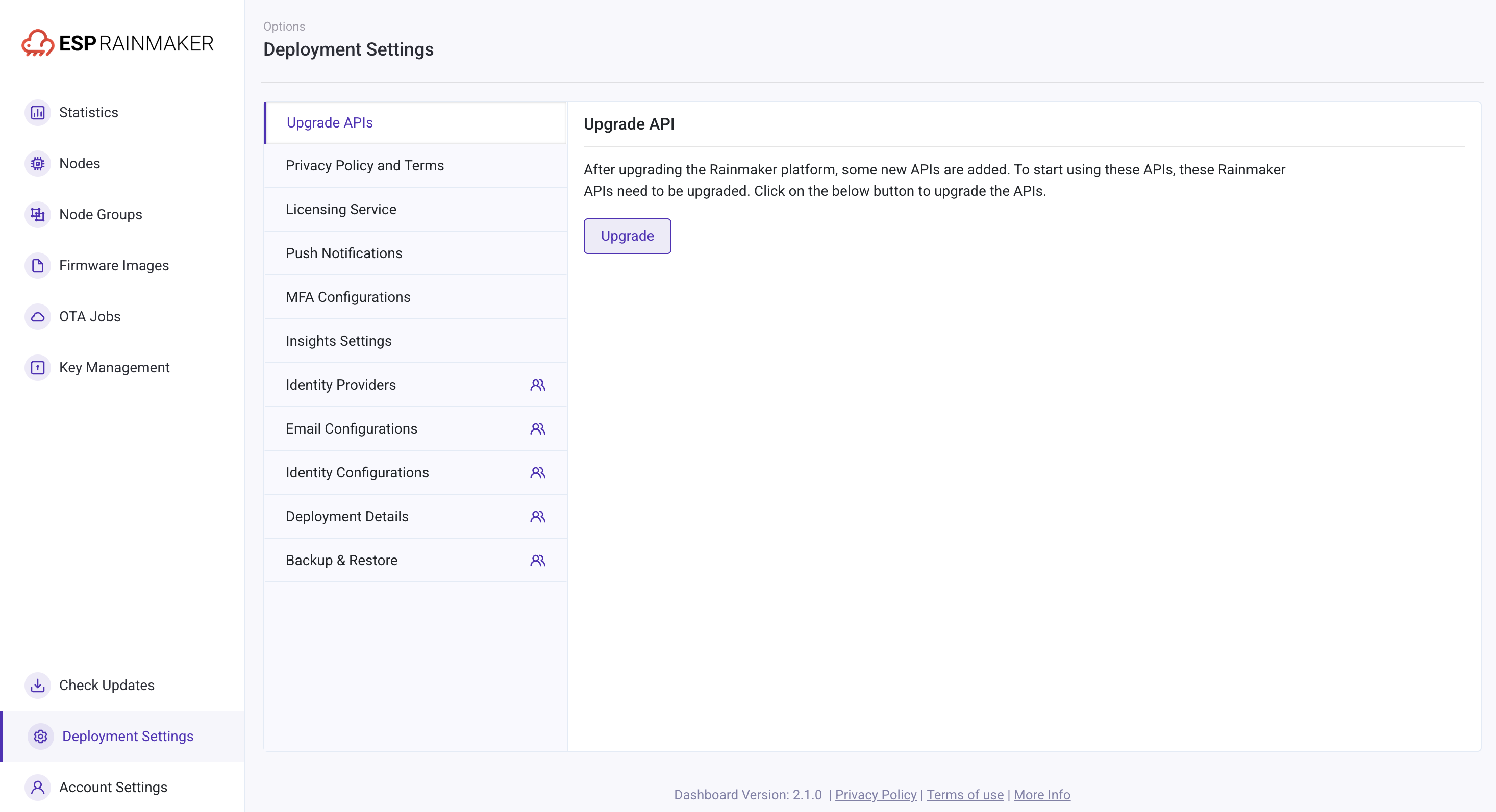
| Upgrade APIs | Updates the ESP RainMaker API (as shown in Figure 2). |
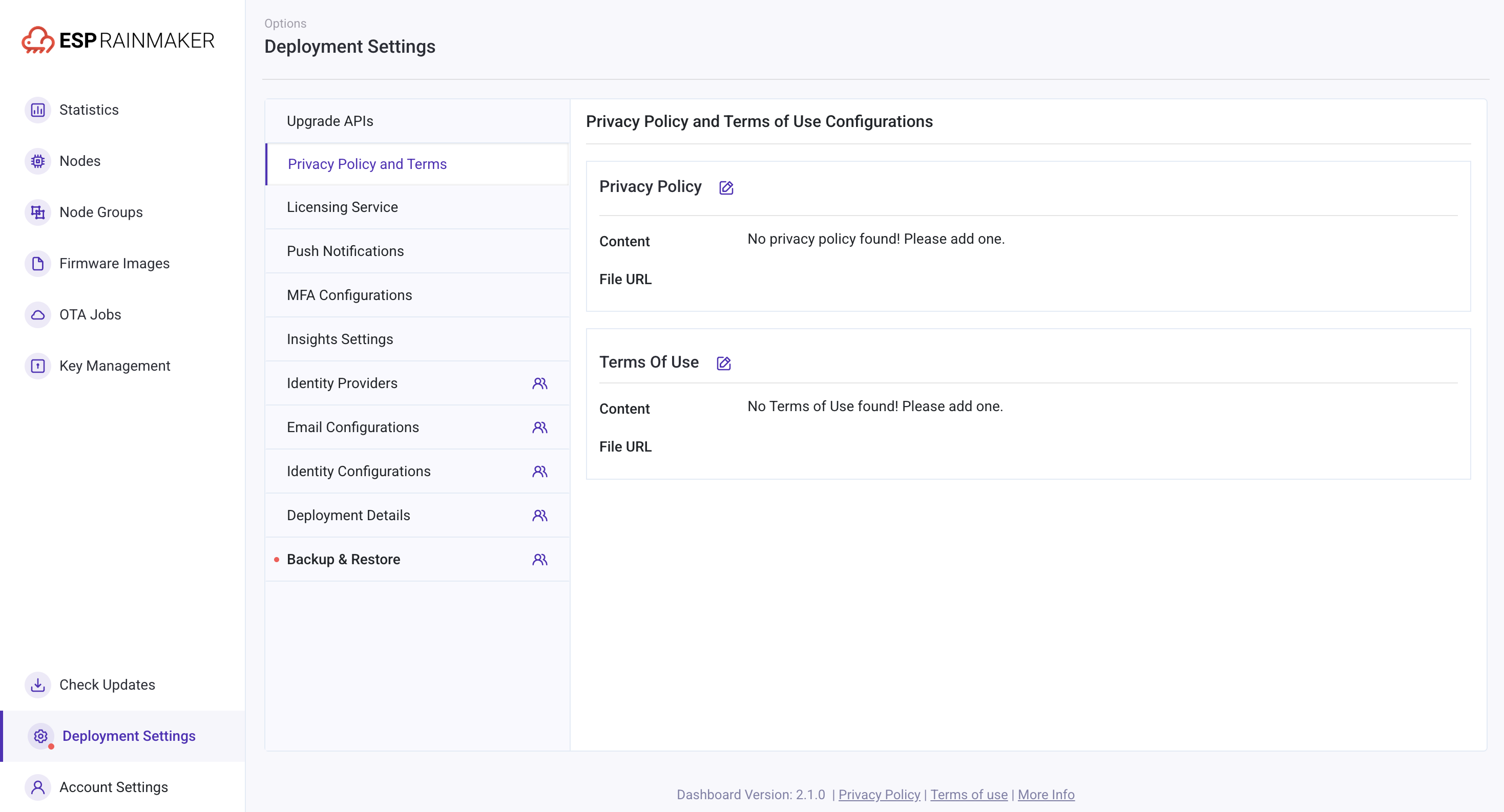
| Privacy Policy and Terms | Uploads privacy policies and terms of service for end users, which the app directly calls (as shown in Figure 3). |
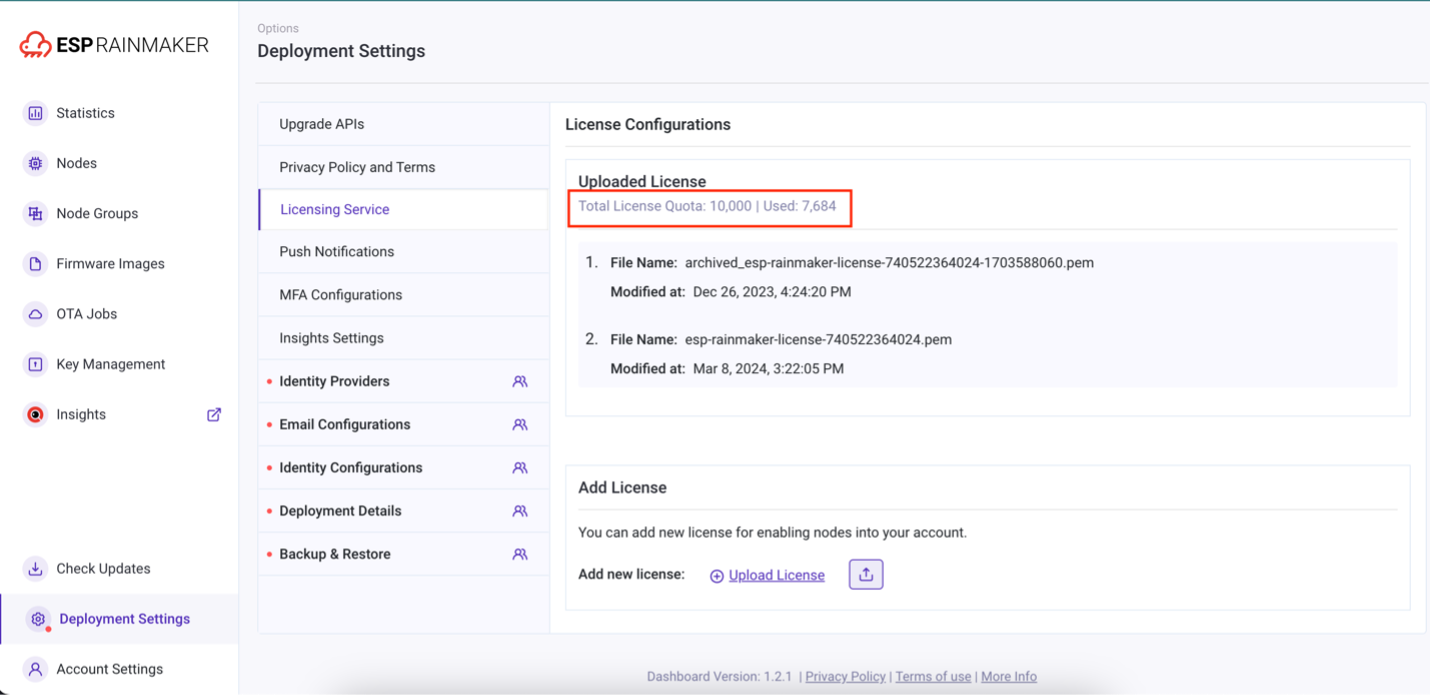
| Licensing Service | Configures the number of nodes that the brand owner can manage, and allows viewing the license quota and used quota for the licensing service directly (as shown in Figure 4). |
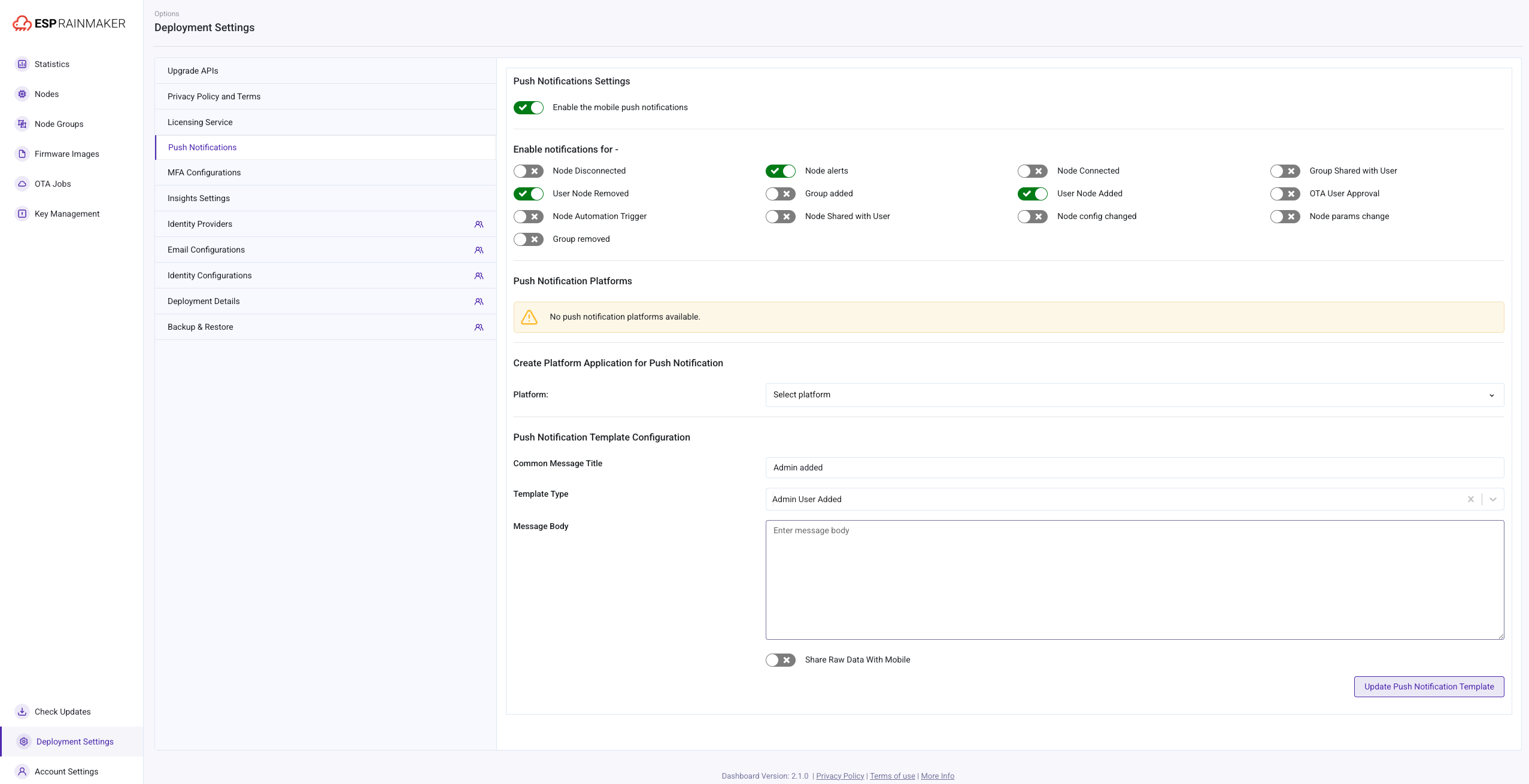
| Push Notifications | Selects the content to be pushed to end users (as shown in Figure 5). |
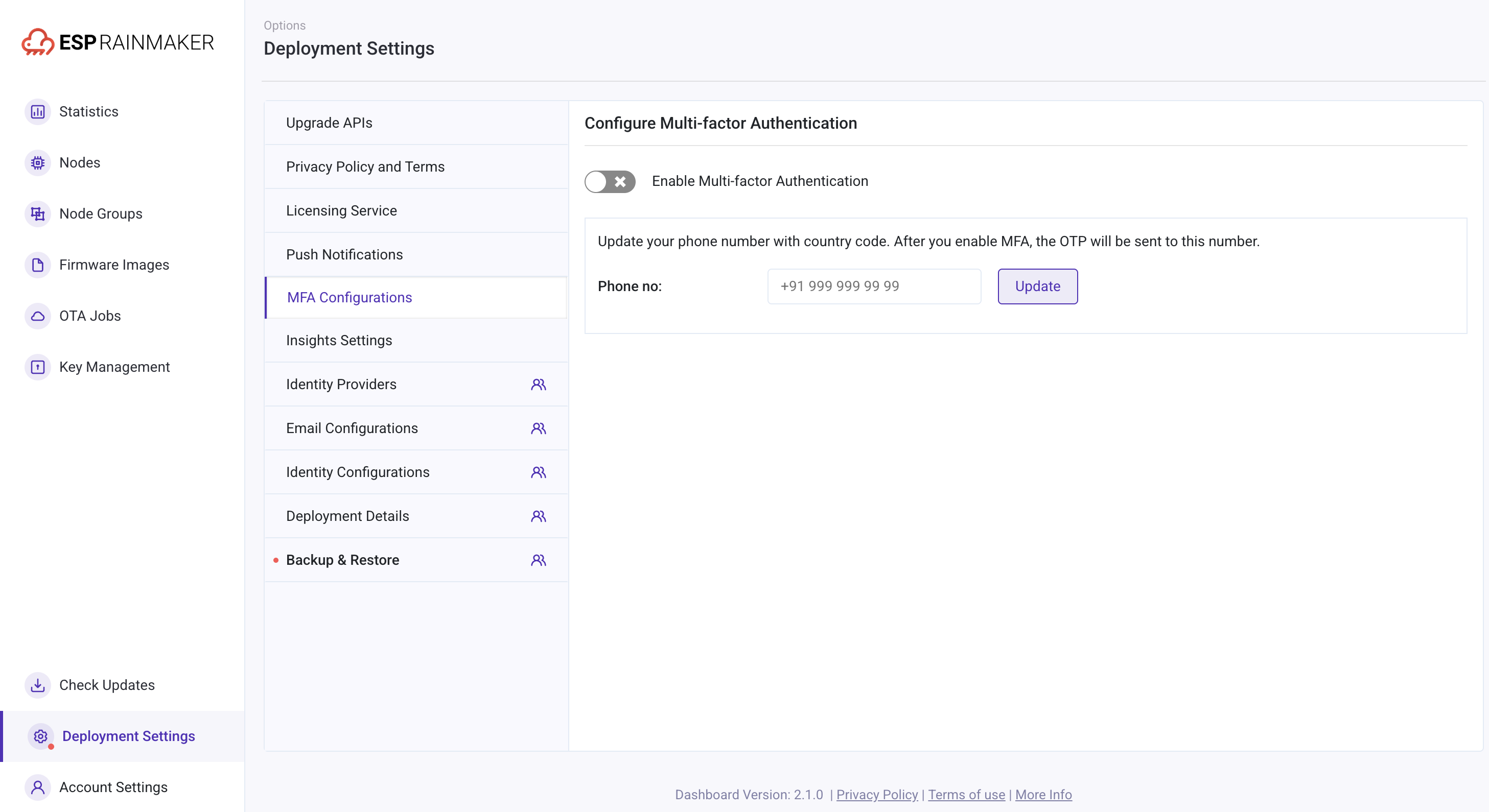
| MFA Configurations | Multi-factor authentication (MFA) security verification method (as shown in Figure 6). |
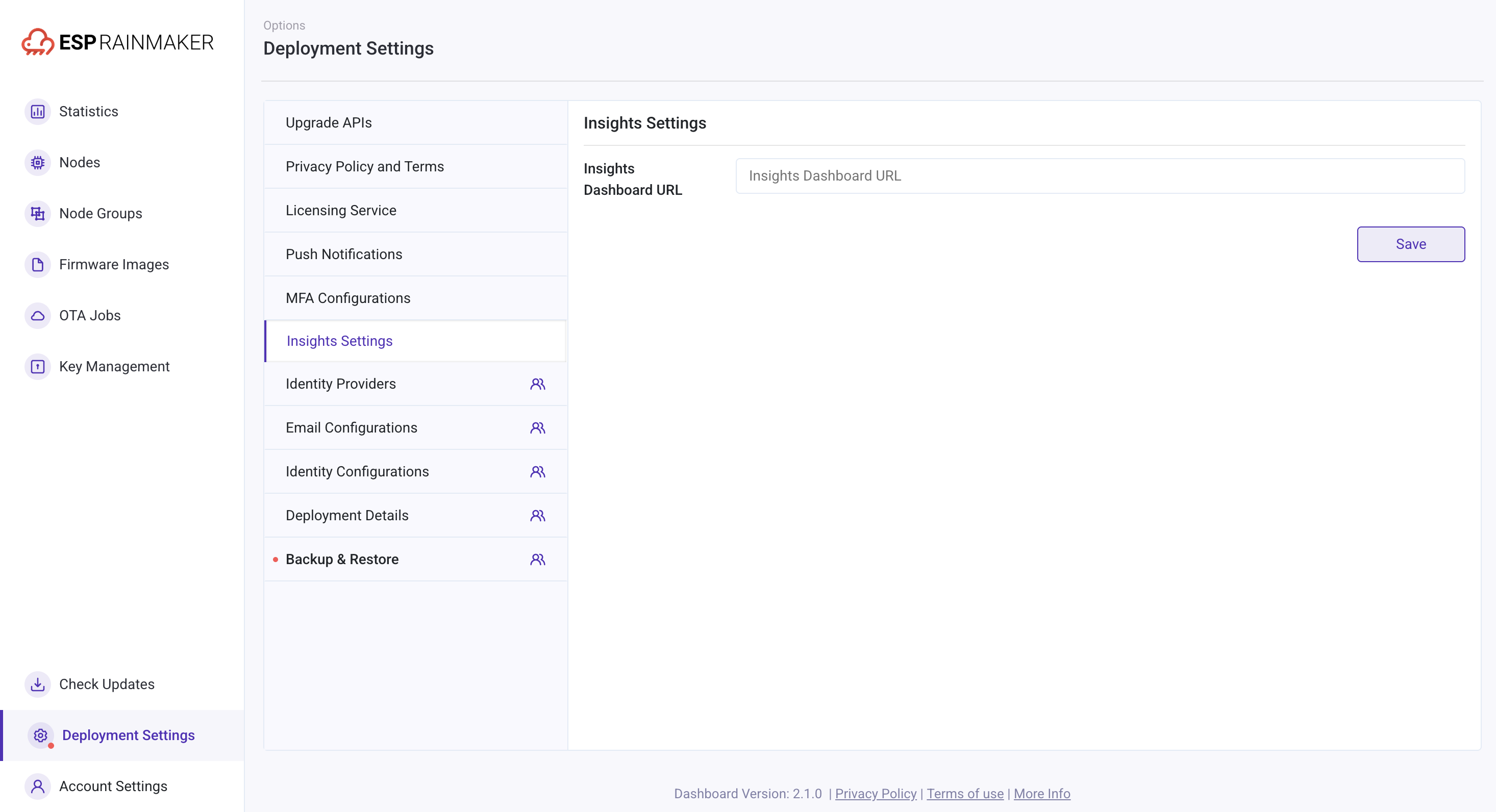
| Insights Settings | To enable Insights dashboard (optional) (as shown in Figure 7). |
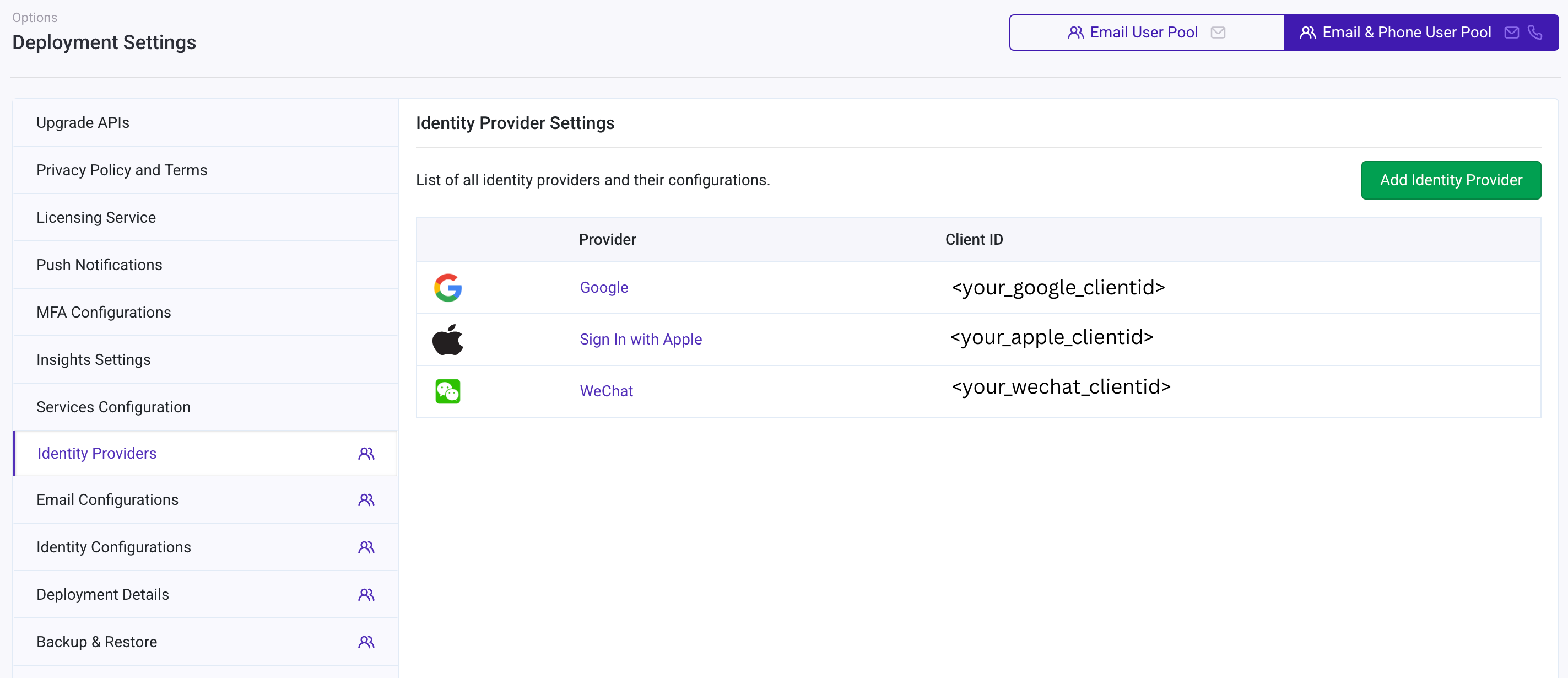
| Identity Providers | Stores Google and Apple app service information, as well as account details (as shown in Figure 8). |
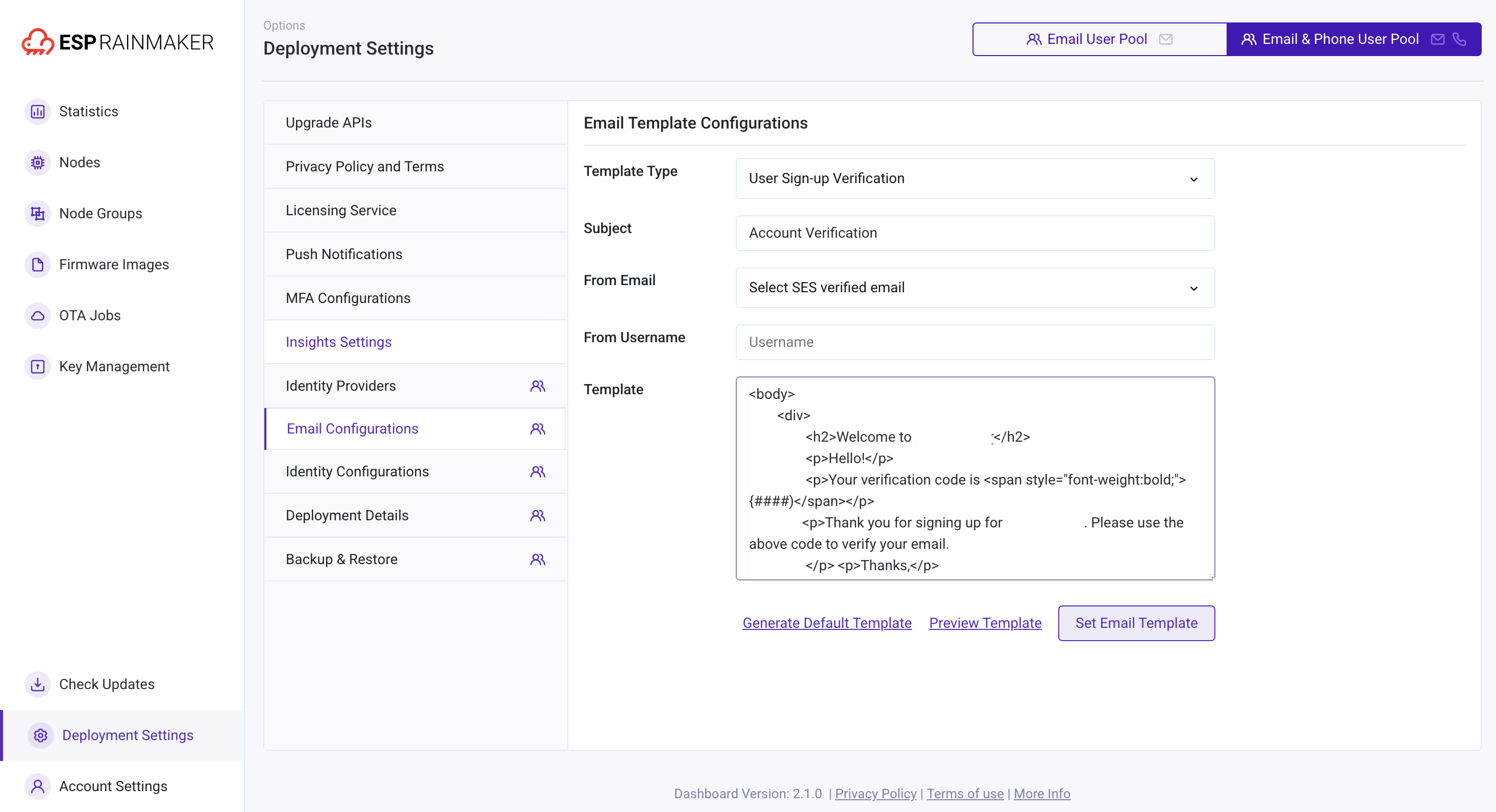
| Email Configurations | Configures email templates for end users (as shown in Figure 9), including the subject for account verification codes. |
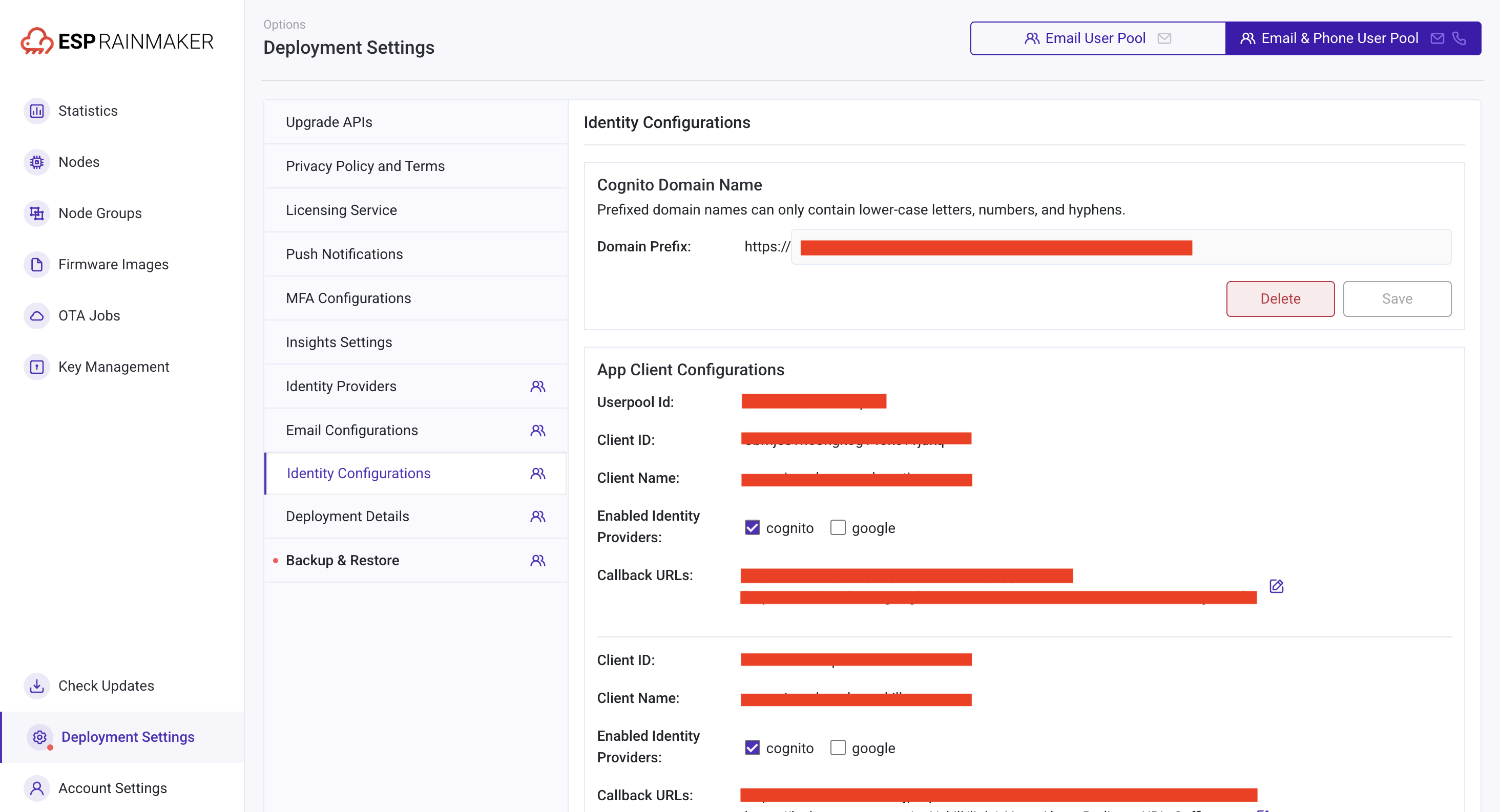
| Identity Configurations | Sets the domain site for the user pool and stores user information (as shown in Figure 10). |
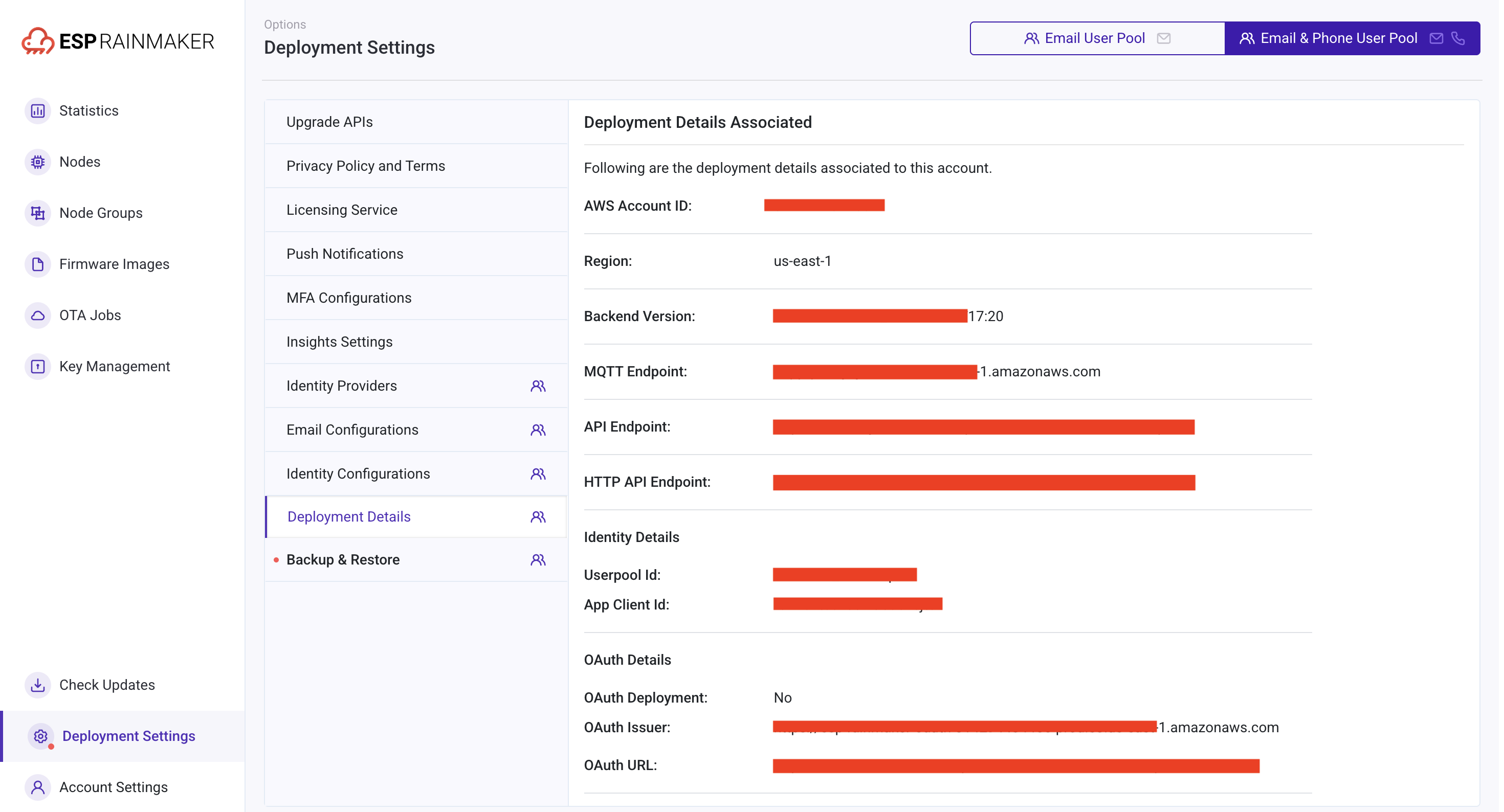
| Deployment Details | Information related to private cloud deployment; remains in the default state and does not require modification (as shown in Figure 11). |
| Backup & Restore | The Backup & Restore tab has been removed from Deployment Settings since Dashboard v2.4.0, as backups now happen automatically behind the scenes. |
Figure 2: Upgrade APIs
 |
|---|
| ESP RainMaker will add new API functions after version upgrade, so previous versions need to be updated. Users can directly perform upgrade operations through the controls in this interface. |
Figure 3: Privacy Policy and Terms
 |
|---|
| Users can upload privacy policies and user terminal agreements on this interface. |
Figure 4: Licensing Service
 |
|---|
| Users can limit the number of nodes connected by limiting the number of certificates issued and view the license quota and used quota for the licensing service directly. |
Figure 5: Push Notifications
 |
|---|
| Selects the content to be pushed to end users. If the user would like to provide push notifications to the end user's app, the user would need to enable this function. After enabling, the user can create the content they want based on the enabled trigger event. |
Figure 6: MFA Configurations
 |
|---|
| Multi-factor authentication (MFA) security verification method. |
Figure 7: Insights Settings
 |
|---|
| This is an input URL page that, when saved, will link Insights dashboard with this dashboard. This is relevant only if you use ESP Insights too. If not, skip this. |
Figure 8: Identity Providers
 |
|---|
| Stores Google and Apple app service information, as well as account details. |
 |
|---|
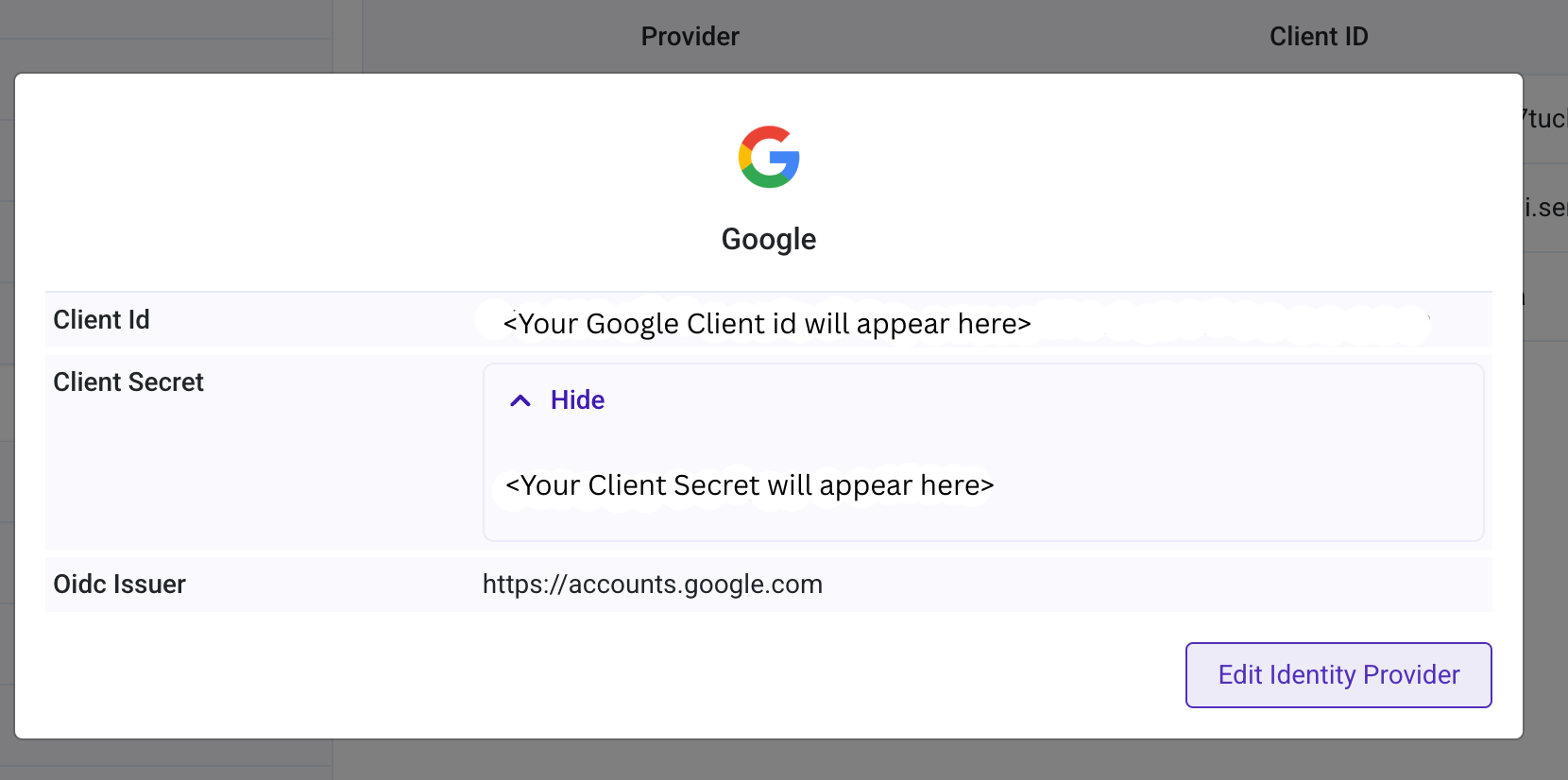
Clicking on the provider link opens a popup with the provider details. The client secret is hidden by default and can be viewed by expanding the container. User can edit the configuration by clicking the Edit Identity Provider. |
 |
|---|
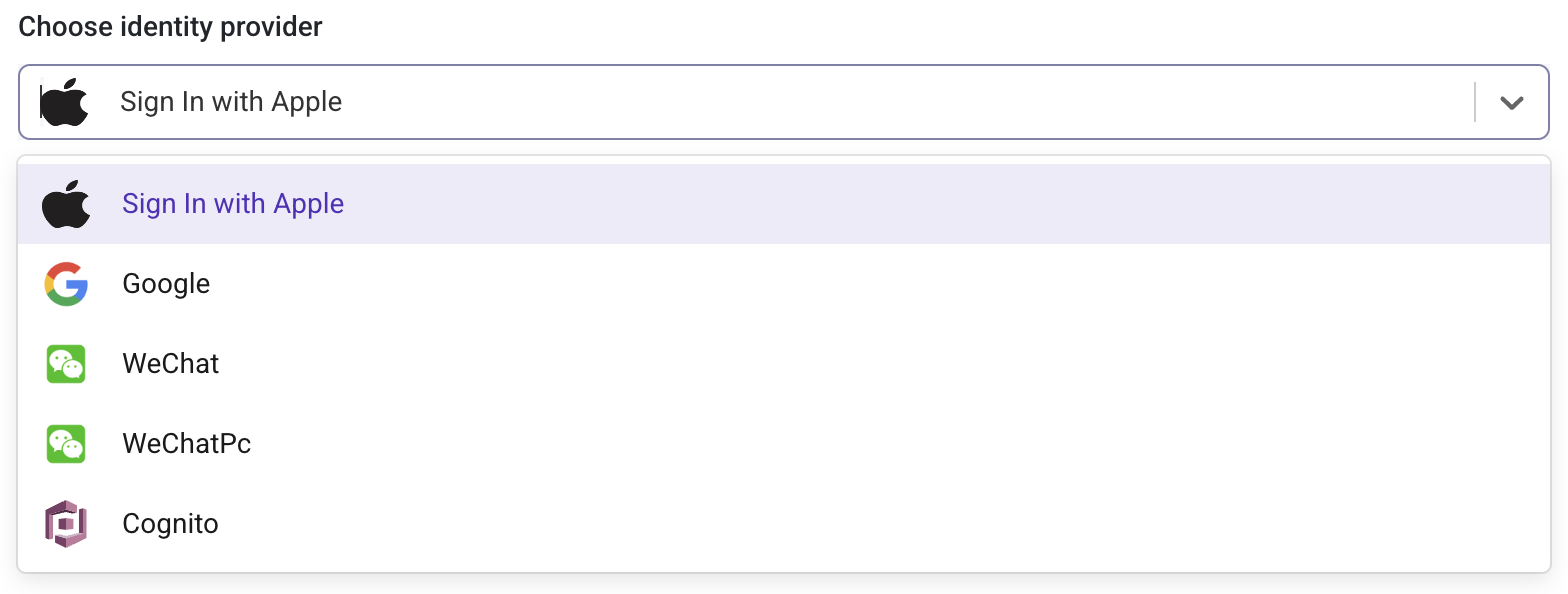
Clicking the Add Identity Provider button allows the admin user to add a new identity provider. The user can select a provider from the dropdown menu and enter the required details to add it to the account. Users can select an identity provider from the following options: Sign In with Apple, Google and Cognito; for deployments in the China region, admin users will see additional options such as: WeChat and WeChatPc. |
Figure 9: Email Configurations
 |
|---|
| On this page, users can fill in the front-end page code in the template module to edit the email content. |
Figure 10: Identity Configurations
 |
|---|
| Sets the domain site for the user pool and stores user information. |
Figure 11: Deployment Details
 |
|---|
| Information related to private cloud deployment; remains in the default state and does not require modification. |