

Check Updates
ESP RainMaker Dashboard Super Admin users now have a simplified way to update their dashboard deployment versions, via click of a button. For SAR deployments, Super Admin Users have option to only upgrade to the latest available version of the RainMaker Dashboard. However for SAM deployments, Super Admin Users have more flexibility and have the option to update (upgrade or downgrade) the dashboard to any of the supported available versions.
Dashboard Version Updates
SAR Deployments
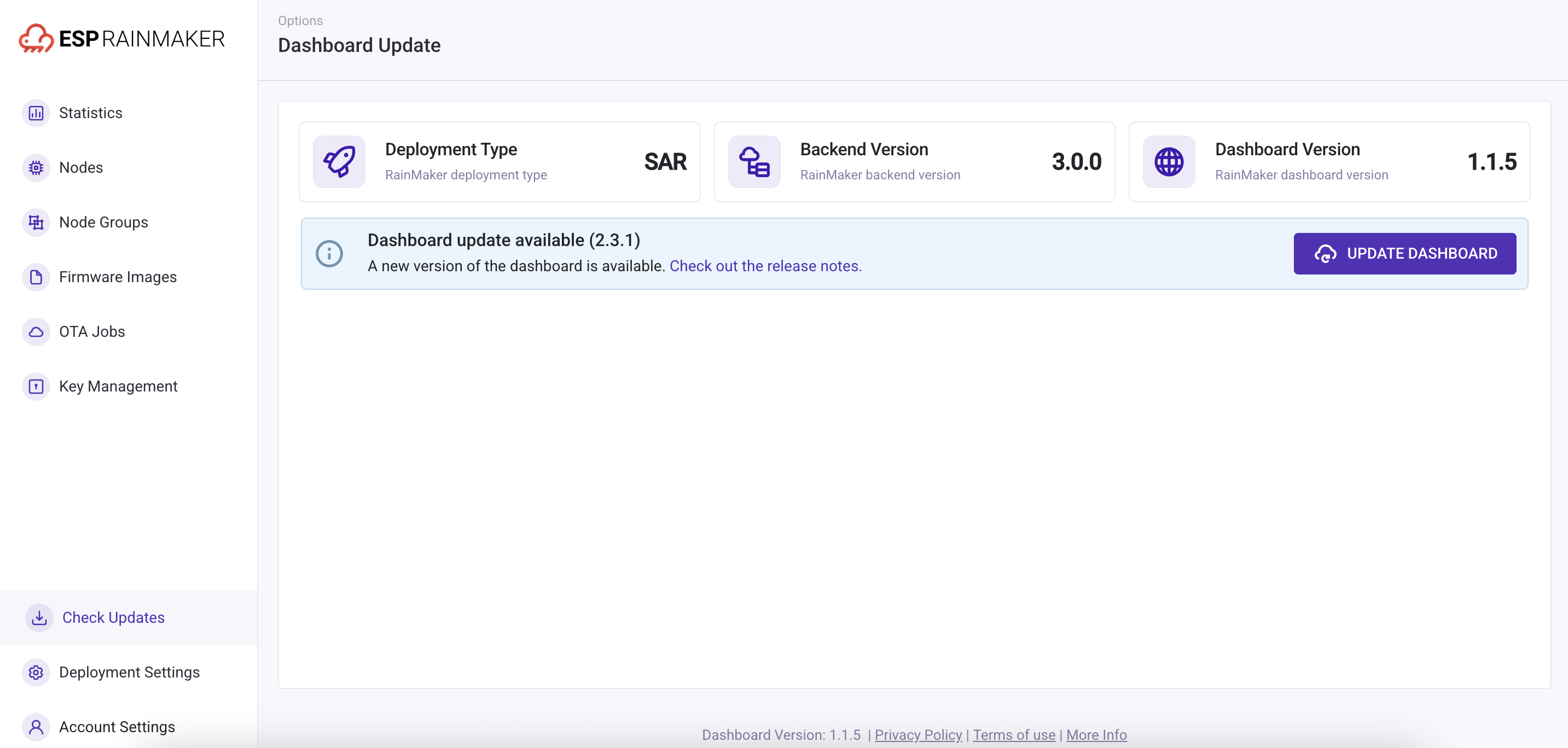
If an update is available for Dashboard SAR deployment, the Super Admin Users will see an info message with the available version details and a button to update the dashboard version.
| Check Dashboard Updates |
|---|
 |
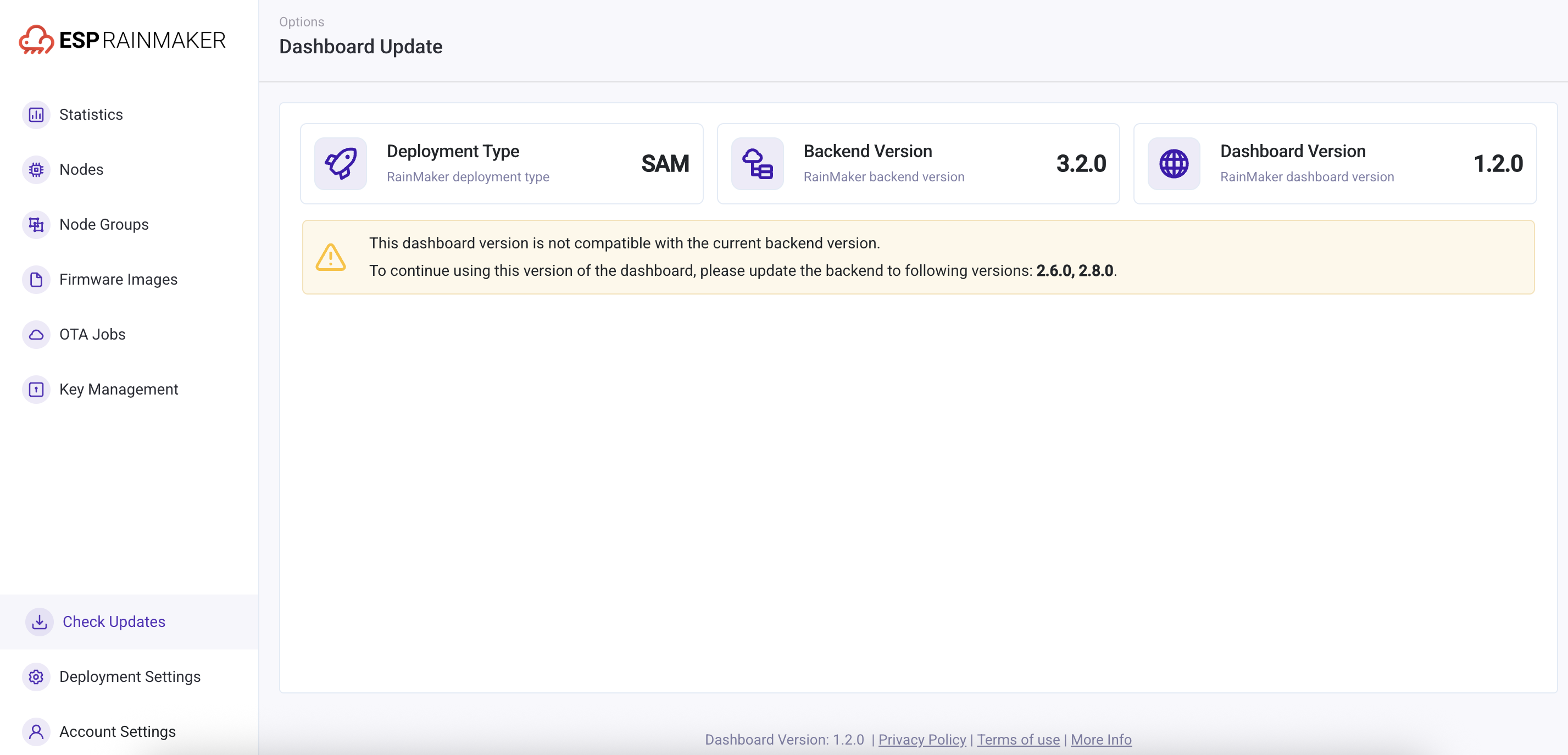
If an update is available but the ESP RainMaker backend is not updated, the Super Admin Users will see an info message with the available version details and a prompt to update the backend.
| Dashboard Update |
|---|
 |
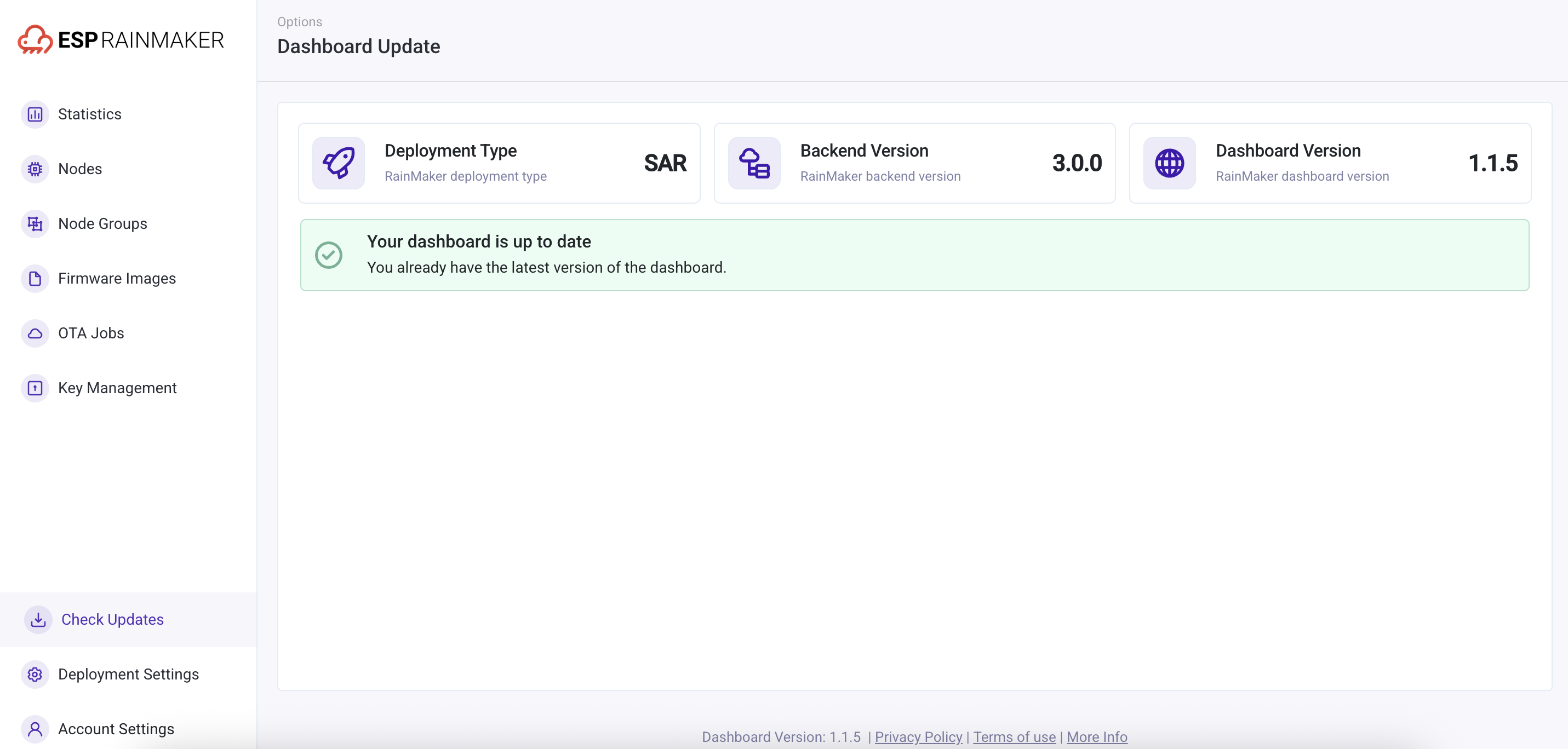
If the dashboard version is already up to date to the latest available one, Super Admin Users will see an info message indicating that they already have the latest version deployed for the ESP RainMaker Dashboard.
| Dashboard Up-to-date |
|---|
 |
SAM Deployments
SAM Deployments give a flexibility to upgrade or downgrade to a specific version from the available list. Super Admin Users can check the compatibility matrix and accordingly check the ESP RainMaker Dashboard version compatible with the ESP RainMaker backend. Similarly, if the current dashboard version is incompatible with the existing backend version, Super Admin Users will see a message requiring them to update the backend to specific versions in order to continue using the dashboard.
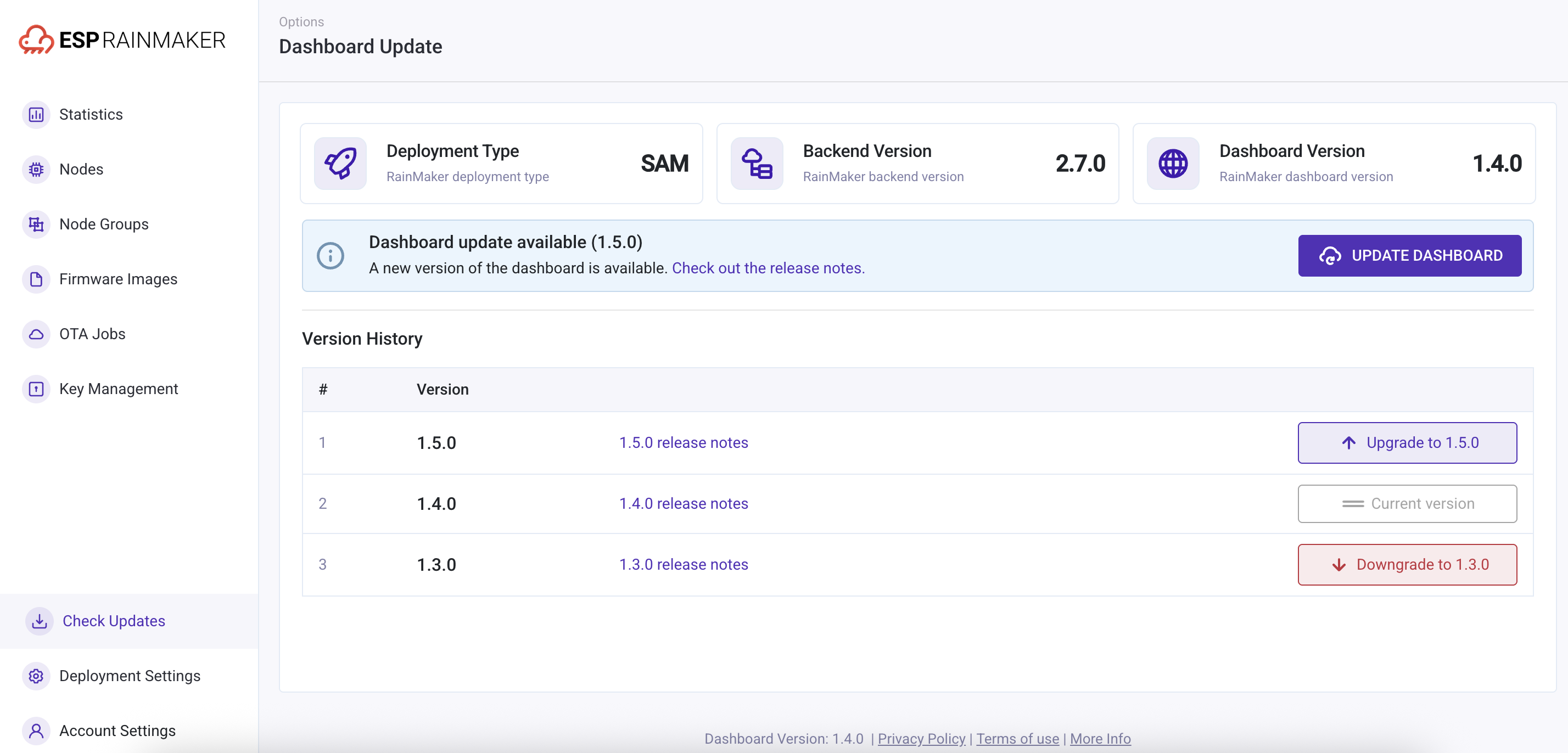
If an update is available, users will see an info message with the available version details and a button to update the dashboard. They will also see the version history supported by the current backend and have the option to update to a specific version.
| Available Dashboard SAM Versions |
|---|
 |
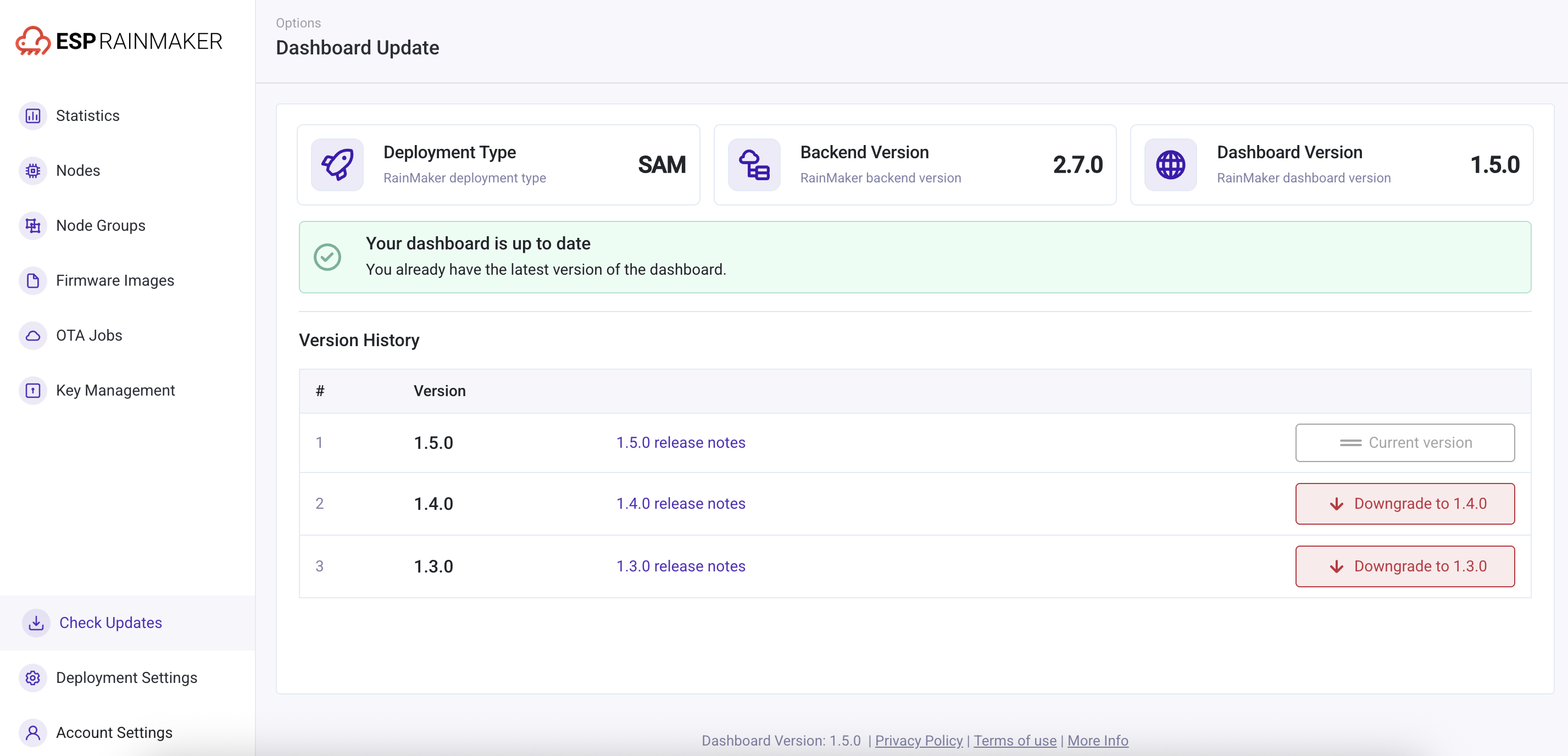
If the dashboard version is already up to date to the latest version, Super Admin Users will see an info message indicating that they already have the latest version installed. They will also see the version history supported by the current backend and have the option to downgrade to a specific version.
| Dashboard Version Up-to-date |
|---|
 |
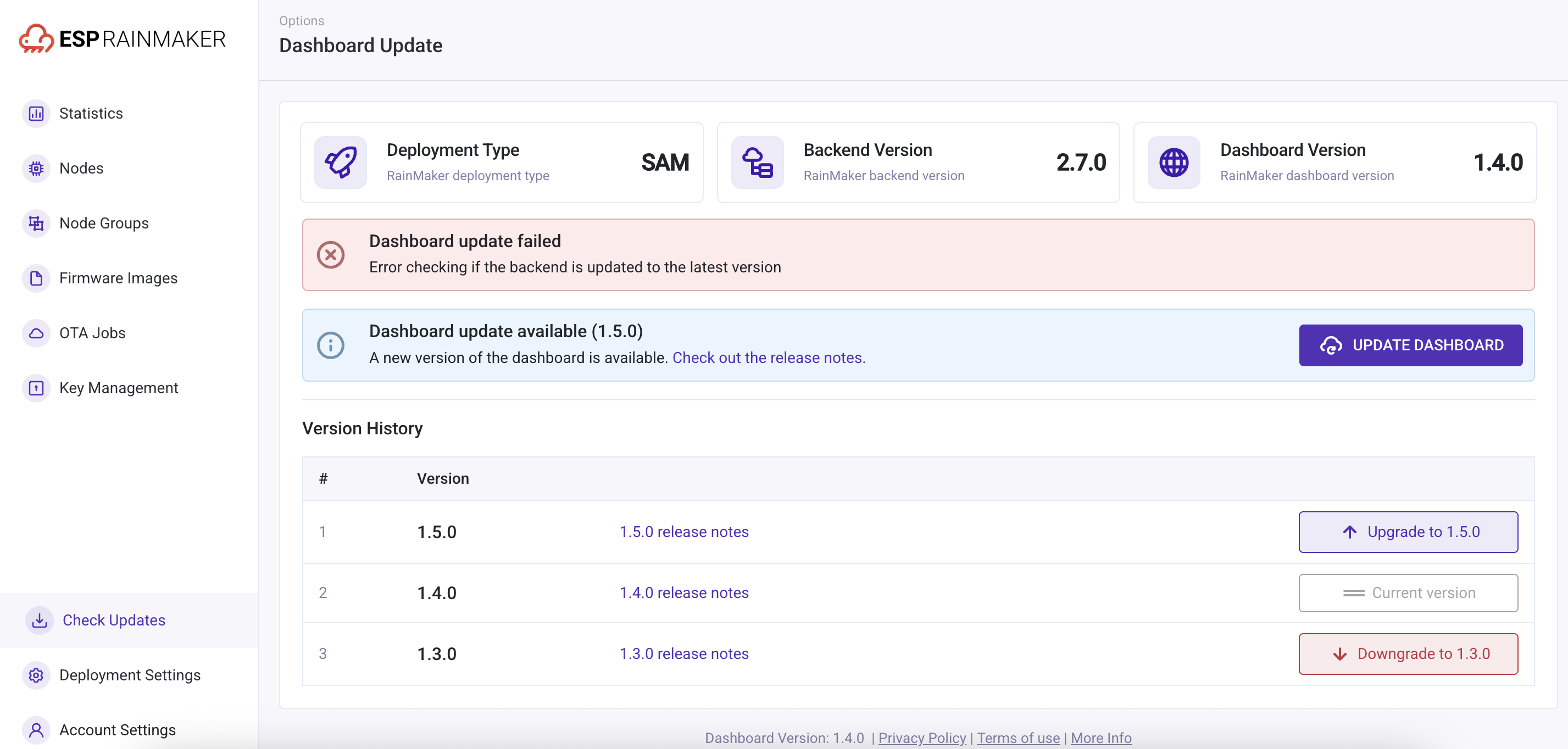
If the dashboard update fails, users will see an error message along with the description returned from the API.
| Dashboard Version Update Failed |
|---|
 |