

Custom & Standard Types
Custom vs Standard Pre-defined Types
In ESP RainMaker firmware development, types refer to predefined schemas that describe the nature of a device and its attributes like parameter, or UI element (Displayed in the phone app).
When you use custom types, you manually define every aspect of the device—such as name, parameters like power and brightness, their data types, UI hints, and bounds, etc—giving you full flexibility to model any device.
On the other hand, standard types (like esp_rmaker_lightbulb_device_create) are simplified helper APIs provided for common devices like light bulbs, fans, or temperature sensors, etc. These automatically handle parameter setup, assign standard UI elements, and enable better compatibility with RainMaker phone apps and third-party services like Alexa or Google Assistant. Standard types are ideal for common use cases and enable smoother integrations with minimal code.
Example Usage
Creating a custom device
Creating a Device generally requires multiple calls. For example, creating a Lightbulb with name, power, and brightness would need:
esp_rmaker_device_t *device = esp_rmaker_device_create("Light", NULL, NULL);

esp_rmaker_device_add_param(device, esp_rmaker_param_create("name", NULL, esp_rmaker_str("Light"),
            PROP_FLAG_READ | PROP_FLAG_WRITE | PROP_FLAG_PERSIST));

esp_rmaker_param_t *power_param = esp_rmaker_param_create("power", NULL, esp_rmaker_bool(true), PROP_FLAG_READ | PROP_FLAG_WRITE);
esp_rmaker_param_add_ui_type(power_param, ESP_RMAKER_UI_TOGGLE);
esp_rmaker_device_add_param(device, power_param);
esp_rmaker_device_assign_primary_param(device, power_param);

esp_rmaker_param_t *brightness_param = esp_rmaker_param_create("brightness", NULL, esp_rmaker_int(100), PROP_FLAG_READ | PROP_FLAG_WRITE);
esp_rmaker_param_add_ui_type(brightness_param, ESP_RMAKER_UI_SLIDER);
esp_rmaker_param_add_bounds(brightness_param, esp_rmaker_int(0), esp_rmaker_int(100), esp_rmaker_int(1));
esp_rmaker_device_add_param(device, brightness_param);
This flexibility is useful as it lets you define any type of device. However, to simplify some common use cases, we have defined some standard types and have added helper APIs for them.
Creating a standard device
Using standard types, the above code will get reduced to this:
light_device = esp_rmaker_lightbulb_device_create("Light", NULL, true);
esp_rmaker_device_add_cb(light_device, write_cb, NULL);

esp_rmaker_device_add_param(light_device, esp_rmaker_brightness_param_create("brightness", 100));
These standard types are also useful for defining some special handling in phone apps or other third party applications like Alexa or Google Voice Assistants.
Standard Types
Below is a list of standard devices, services, parameters, and UI elements. This list will keep updating as we add new types.
Devices
Parameters in Bold are mandatory. * indicates primary parameter.
C APIs to implement some of these can be found here. Others can be built using the raw APIs. They have been included here just to indicate that they have special handling in clients like the Alexa/GVA.
| Name | Type | Params | GVA | Alexa | Image |
|---|---|---|---|---|---|
| Switch | esp.device.switch | Name, Power* | SWITCH | SWITCH |  |
| Dimmer | esp.device.dimmer | Name, Power* | SWITCH | SWITCH | |
| Lightbulb | esp.device.lightbulb | Name, Power*, Brightness, Color Temperature, Hue, Saturation, Intensity, Light Mode | LIGHT | LIGHT |  |
| Light | esp.device.light | Name, Power*, Brightness, Color Temperature, Hue, Saturation, Intensity, Light Mode | LIGHT | LIGHT | |
| Fan | esp.device.fan | Name, Power*, Speed, Direction | FAN | FAN |  |
| Temperature Sensor | esp.device.temperature-sensor | Name, Temperature* | X | TEMPERATURE _SENSOR |  |
| Outlet | esp.device.outlet | Name, Power* | OUTLET | SMARTPLUG |  |
| Plug | esp.device.plug | Name, Power* | OUTLET | SMARTPLUG |  |
| Socket | esp.device.socket | Name, Power* | OUTLET | SMARTPLUG |  |
| Lock | esp.device.lock | Name, Lock State* | LOCK | SMARTLOCK |  |
| Internal Blinds | esp.device.blinds-internal | Name, Blinds Position* | BLINDS | INTERIOR_BLIND |  |
| External Blinds | esp.device.blinds-external | Name, Blinds Position* | BLINDS | EXTERIOR_BLIND |  |
| Garage Door | esp.device.garage-door | Name, Garage Position*, Lock State | GARAGE | GARAGE_DOOR |  |
| Speaker | esp.device.speaker | Name, Power*, Media State, Media Control, Volume, Mute | SPEAKER | SPEAKER |  |
| Air Conditioner | esp.device.air-conditioner | Name, Power*, Setpoint Temperature, Temperature, Fan Speed, AC Mode | AC_UNIT | AIR_CONDITIONER |  |
| Thermostat | esp.device.thermostat | Name, Setpoint Temperature*, Temperature, AC Mode, Power | THERMOSTAT | THERMOSTAT |  |
| TV | esp.device.tv | Name, Power*, Media State, Media Control App Selector, Input Selector, Volume, Mute, Channel, Channel Relative | TV | TV |  |
| Washer | esp.device.washer | Name, Running State*, Paused State*, Mode, Run Cycle | WASHER | WASHER |  |
| Contact Sensor | esp.device.contact-sensor | Name, Contact Detection State* | SENSOR | CONTACT_SENSOR |  |
| Motion Sensor | esp.device.motion-sensor | Name, Motion Detection State* | X | MOTION_SENSOR |  |
| Door Bell | esp.device.doorbell | Name, Bell Pressed State* | X | DOORBELL |  |
| Security Panel | esp.device.security-panel | Name, Arm State*, Fire Alarm State, Water Alarm State, CO Alarm State, Burglary Alarm State | X | SECURITY_PANEL |  |
| Water Heater | esp.device.water-heater | Name, Temperature | WATERHEATER | WATER_HEATER | X |
| Set Top Box | esp.device.set-top | Name, Power, Media State, Media Control, App Selector, Input Selector, Volume, Mute | SETTOP | OTHER | X |
| Remote | esp.device.remote | Name, Power, Media State, Media Control, App Selector, Input Selector, Volume, Mute | REMOTE | OTHER | X |
| Refrigerator | esp.device.refrigerator | Name, Power, SetPointTempCelsius | REFRIGERATOR | OTHER | X |
| Other | esp.device.other | X | OTHER |  |
Services
Parameters in Bold are mandatory.
C APIs to implement these can be found here.
| Name | Type | Params |
|---|---|---|
| OTA | esp.service.ota | OTA URL, OTA Status, OTA Info |
| Schedule | esp.service.schedules | Schedules |
| Time | esp.service.time | TZ, TZ-POSIX |
| System | esp.service.system | Reboot, Factory-Reset, Wi-Fi-Reset |
Parameters
C APIs to implement some of these can be found here. Others can be built using the raw APIs. They have been included here just to indicate that they have special handling in clients like the Alexa/GVA.
| Name | Type | Data Type | UI Type | Prop- erties | Min, Max, Step | Description |
|---|---|---|---|---|---|---|
| Name | esp.param.name | String | Read, Write | 1, 32, - | Name of the device | |
| Power | esp.param.power | Bool | esp.ui.toggle | Read, Write | N/A | Used to turn on/off the device |
| Brightness | esp.param.brightness | Int | esp.ui.slider | Read, Write | 0, 100, 1 | Brightness level of the device |
| Dim | esp.param.dim | Int | esp.ui.slider | Read/Write | 0, 100, 1 | Alias to Brightness |
| CCT | esp.param.cct | Int | esp.ui.slider | Read, Write | 2700, 6500, 100 | Color correlated temperature |
| Hue | esp.param.hue | Int | esp.ui.slider | Read, Write | 0, 360, 1 | Hue of the light |
| Saturation | esp.param.saturation | Int | esp.ui.slider | Read, Write | 0, 100, 1 | Saturation of the light |
| Intensity | esp.param.intensity | Int | esp.ui.slider | Read, Write | 0, 100, 1 | Intensity of the light |
| Speed | esp.param.speed | Int | esp.ui.slider | Read, Write | 0, 5, 1 | Speed of the fan |
| Direction | esp.param.direction | Int | esp.ui.dropdown | Read, Write | 0, 1, 1 | Direction of the fan (0: Forward, 1: Reverse) |
| Ambient Temperature | esp.param.temperature | Float | Read | N/A | Current ambient temperature | |
| Target temperature | esp.param.setpoint-temperature | Int/Float | esp.ui.slider | Read/Write | N/A | single target temperature |
| Lower Bound Target temperature | esp.param.setpoint-low-temperature | Int/Float | esp.ui.slider | Read/Write | N/A | Used in conjunction with Upper Bound Target temperature. Lower bound of the temperature range. |
| Upper Bound Target temperature | esp.param.setpoint-high-temperature | Int/Float | esp.ui.slider | Read/Write | N/A | Used in conjunction with Lower Bound Target temperature. Upper bound of the temperature range. |
| Ambient Humidity | esp.param.humidity | Float | Read | N/A | Current ambient humidity | |
| Toggle Controller | esp.param.toggle | Bool | Any type applicable | Read, Write | N/A | Generic toggle parameter |
| Range Controller | esp.param.range | Int/Float | Any type applicable | Read, Write | App specific | Generic range parameter |
| Mode Controller | esp.param.mode | String | esp.ui.dropdown | Read, Write | N/A | The valid strings for this can be different, depending on device type |
| Lock State | esp.param.lockstate | Int | esp.ui.toggle | Read, Write | 0, 2, 1 0:Unlocked 1:Locked 2:Jammed | Used for Lock device |
| Blinds Position | esp.param.blinds-position | Int | esp.ui.slider | Read/Write | 0, 100, 1 | Used for Blinds device, indicates the open percentage |
| Garage Position | esp.param.garage-position | Int | esp.ui.slider | Read/Write | 0, 100, 1 | Used for Garage door device, indicates the open percentage |
| Light Mode | esp.param.light-mode | Int | esp.ui.dropdown/ esp.ui.hidden | Read/Write | 0, 2, 1 0:Default(both HSV, CCT) 1:HSV 2:CCT | Used to set the light mode to HSV/CCT |
| AC Mode | esp.paran.ac-mode | String | esp.ui.dropdown | Read/Write | N/A | Current operating mode of the AC unit |
| Media State | esp.param.media-activity-state | String | esp.ui.dropdown | Read/Write | N/A | Indicates whether Entertainment device is active |
| Playback State | esp.param.media-playback-state | String | esp.ui.dropdown | Read/Write | N/A | Indicate the current state when playing media. |
| Media Control | esp.param.media-activity-control | String | esp.ui.dropdown | Read/Write | N/A | Controls media playback (e.g., play, pause, stop) |
| Volume | esp.param.volume | Float | esp.ui.slider | Read/Write | 0, 20, 1 | Current volume level |
| Mute | esp.param.mute | Bool | esp.ui.toggle | Read/Write | N/A | Mute state of the device |
| App Selector | esp.param.app-selector | String | esp.ui.dropdown | Read/Write | N/A | Used to select the app on entertainment device |
| Input Selector | esp.param.input-selector | String | esp.ui.dropdown | Read/Write | N/A | Used to select the input on entertainment device |
| Contact Detection State | esp.param.contact-detection-state | bool | esp.ui.toggle | Read | N/A | Indicates if contact is detected |
| Motion Detection State | esp.param.motion-detection-state | bool | esp.ui.toggle | Read | N/A | Indicates if motion is detected |
| Arm State | esp.param.arm-state | bool | esp.ui.toggle | Read/Write | N/A | Current arm state of the security panel |
| Fire Alarm State | esp.param.fire-alarm | bool | esp.ui.toggle | Read | N/A | Indicates if fire alarm is triggered |
| Water Alarm State | esp.param.water-alarm | bool | esp.ui.toggle | Read | N/A | Indicates if water alarm is triggered |
| CO Detection State | esp.param.carbon-monoxide-alarm | bool | esp.ui.toggle | Read | N/A | Indicates if carbon monoxide alarm is triggered |
| Burglary Alarm State | esp.param.burglary-alarm | bool | esp.ui.toggle | Read | N/A | Indicates if burglary alarm is triggered |
| Bell Pressed State | esp.param.bell-pressed | bool | esp.ui.trigger | Write | N/A | Used to trigger bell press event |
| Run Cycle | esp.param.run-cycle | string | esp.ui.dropdown | Read | N/A | Indicates current run cycle of the device |
| Running State | esp.param.running-state | bool | esp.ui.toggle | Read/Write | N/A | Device can be started and stopped with this parameter |
| Paused state | esp.param.paused-state | bool | esp.ui.toggle | Read/Write | N/A | Device can be paused and unpaused with this parameter |
| Channel | esp.param.channel | string | esp.ui.text | Read/Write | N/A | Used to set channel by channel code on entertainment device |
| Channel Relative | esp.param.channel-relative | string | esp.ui.text | Read/Write | N/A | Used to change channel on entertainment device |
| Media Playback State | esp.param.media-playback-state | string | esp.ui.text | Read/Write | N/A | Indicates the current state when playing media. |
| OTA URL | esp.param.ota_url | String | N/A | Write | N/A | |
| OTA Status | esp.param.ota_status | String | N/A | Read | N/A | |
| OTA Info | esp.param.ota_info | String | N/A | Read | N/A | |
| Timezone | esp.param.tz | String | N/A | Read, Write | N/A | |
| Timezone POSIX | esp.param.tz_posix | String | N/A | Read, Write | N/A | |
| Schedules | esp.param.schedules | Array | N/A | Read, Write, Persist | N/A | |
| Reboot | esp.param.reboot | Bool | N/A | Read, Write | N/A | |
| Factory-Reset | esp.param.factory-reset | Bool | N/A | Read, Write | N/A | |
| Wi-Fi-Reset | esp.param.wifi-reset | Bool | N/A | Read, Write | N/A |
UI Elements
These define how the parameters should be rendered in the phone apps.
| Name | Type | Data Types | Requirements | Sample |
|---|---|---|---|---|
| Text (Default) | esp.ui.text | All | N/A |  |
| Toggle Switch | esp.ui.toggle | Bool | N/A |  |
| Slider | esp.ui.slider | Int, Float | Bounds (min, max) |  |
| Brightness Slider | esp.ui.slider | Int | Param type = esp.param.brightness | 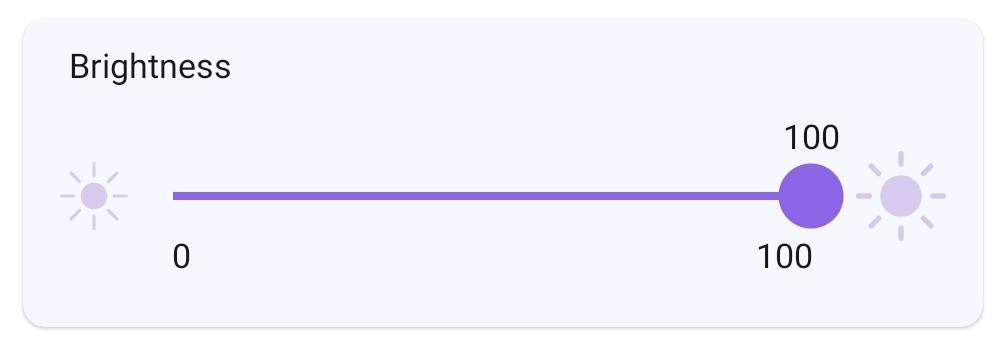 |
| CCT Slider | esp.ui.slider | Int | Param type = esp.param.cct | 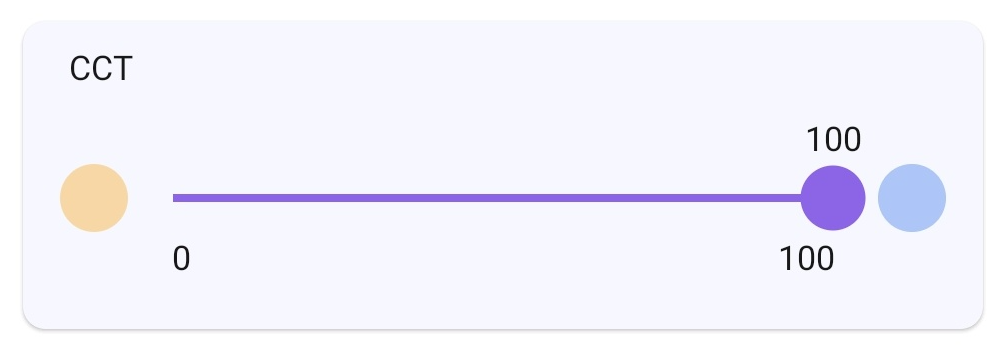 |
| Saturation Slider | esp.ui.slider | Int | Param type = esp.param.saturation | 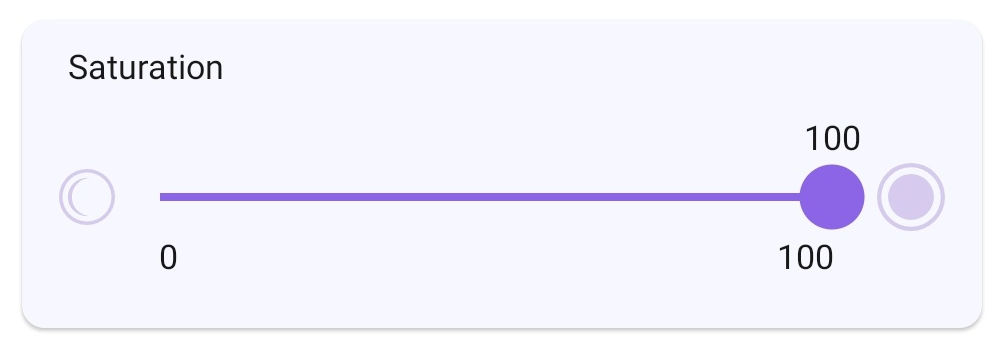 |
| Hue Slider | esp.ui.hue-slider | Int | Param type = esp.param.hue | 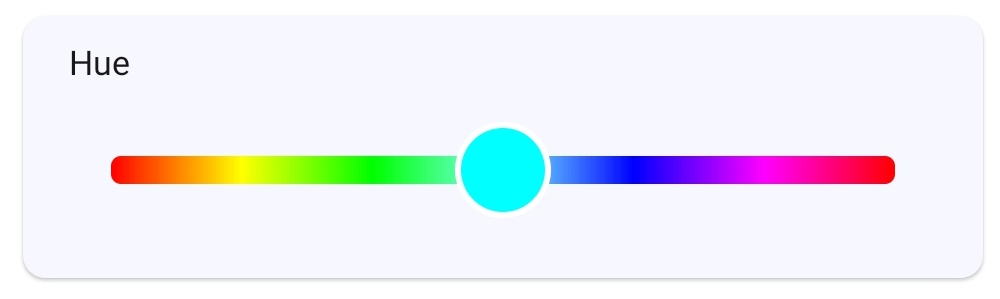 |
| Hue Circle | esp.ui.hue-circle | Int | Param type = esp.param.hue | 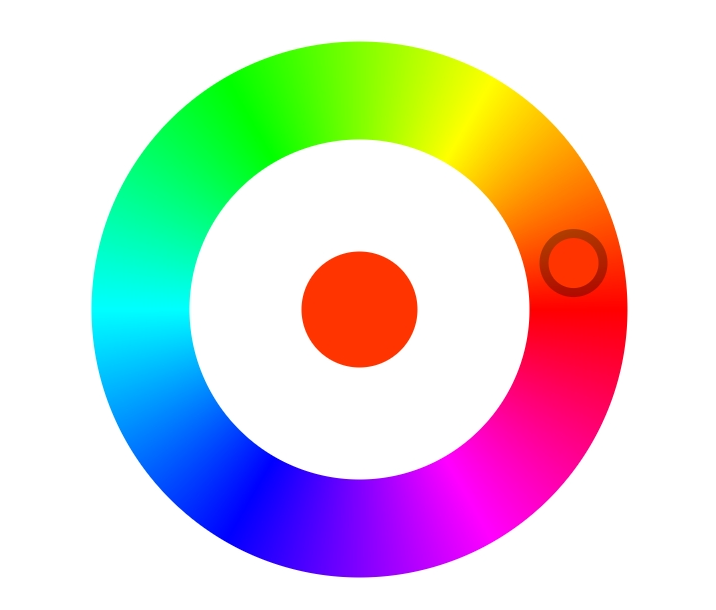 |
| Push button (Big) | esp.ui.push-btn-big | Bool | N/A | 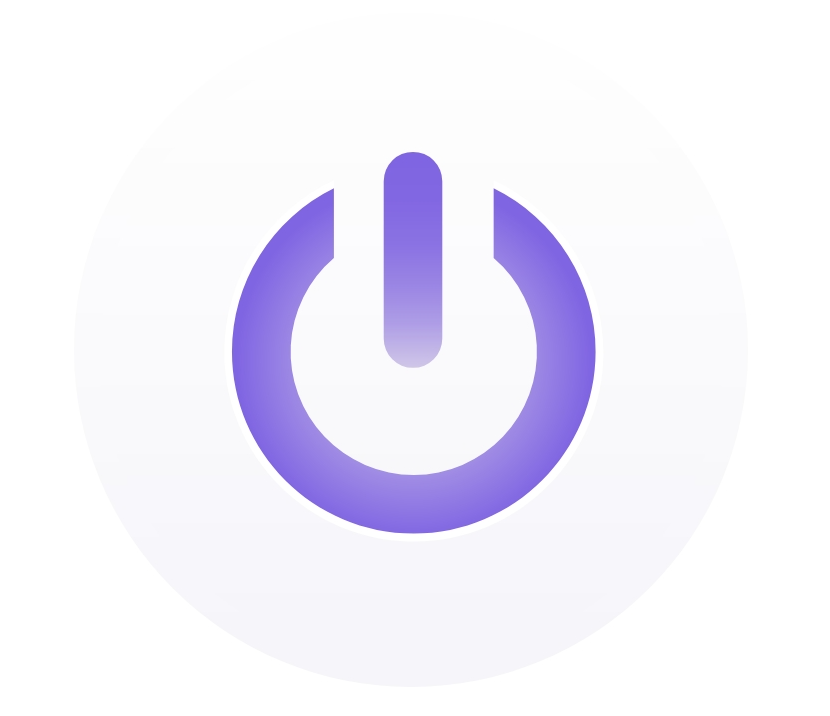 |
| Dropdown | esp.ui.dropdown | Int/String | Bounds (min/max) for Int Valid strs for String |  |
| Trigger (Android only) | esp.ui.trigger | Bool | N/A |  |
| Hidden (Android only) | esp.ui.hidden | Bool | N/A | Param will be hidden |