

How do I implement OTA for a host MCU device?
The RainMaker platform supports uploading MCU firmware and delivering it to the device. The device can distinguish whether a received OTA URL targets the ESP Wi-Fi module or the host MCU via the metadata field in the OTA callback.
Dashboard setup: When creating an OTA job, expand Advanced options and check Host MCU to mark the image as a host MCU OTA.
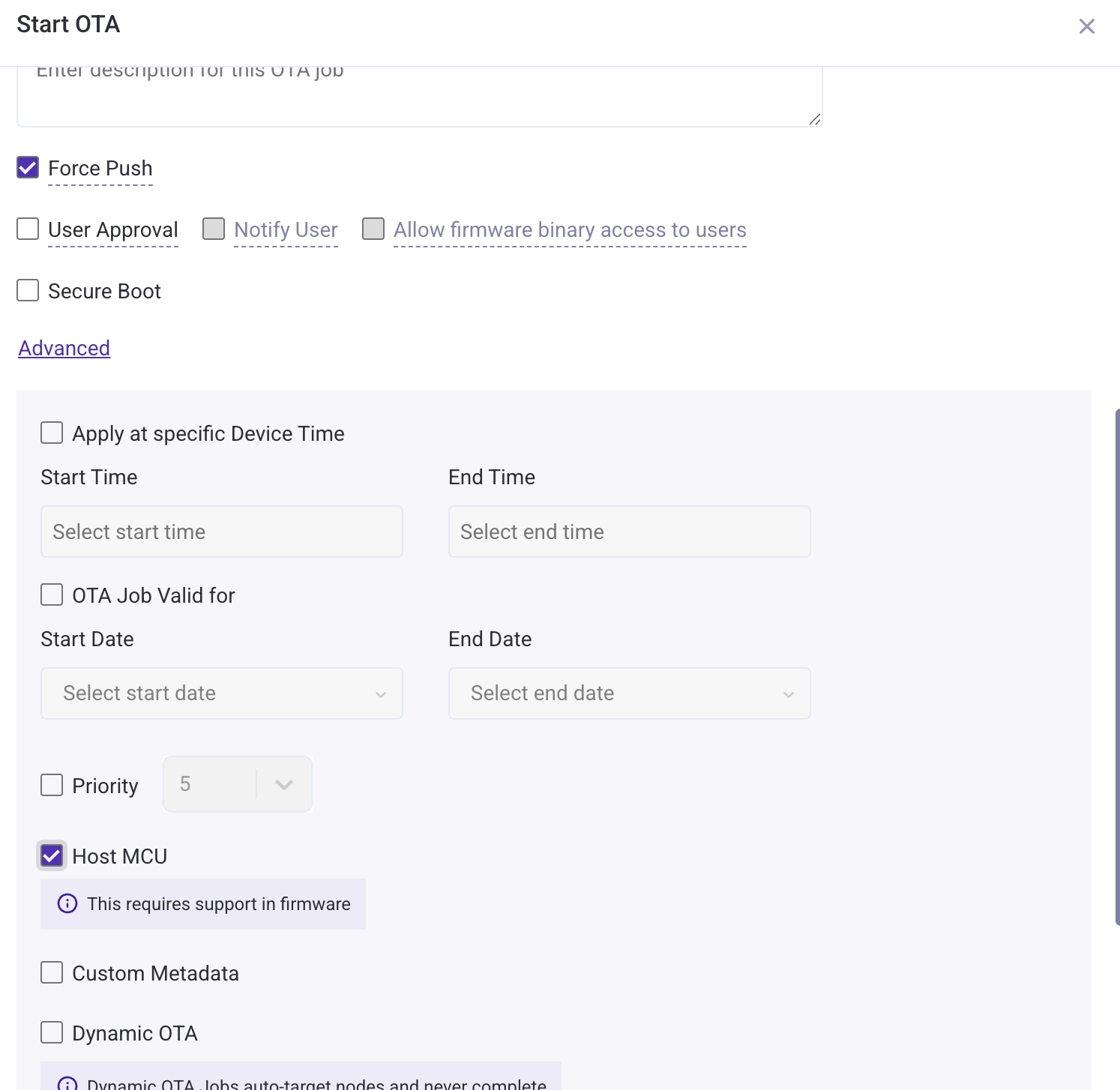
Firmware implementation: Replace esp_rmaker_ota_enable_default with a custom OTA callback that inspects ota_data->metadata:
#include <esp_rmaker_ota.h>

esp_err_t esp_rmaker_custom_ota_cb(esp_rmaker_ota_handle_t ota_handle, esp_rmaker_ota_data_t *ota_data)
{
    if (ota_data->metadata) {
        if (strcmp(ota_data->metadata, "{\"esp.ota.target\":\"host_mcu\"}") == 0) {
            /* This is an MCU OTA — record the URL and handle download/flash */
            /* Call esp_rmaker_ota_report_status to report progress */
            return ESP_OK;
        }
    }
    return esp_rmaker_ota_default_cb(ota_handle, ota_data);
}

/* Register the custom OTA callback */
esp_rmaker_ota_config_t ota_config = {
    .server_cert = NULL,
    .ota_cb = esp_rmaker_custom_ota_cb,
};
esp_rmaker_ota_enable(&ota_config, OTA_USING_TOPICS);
To distinguish between multiple MCU targets, use the Custom Metadata field when creating the OTA job (e.g., set key target, value mcu1). The device receives this as {"esp.ota.target":"host_mcu","target":"mcu1"} in ota_data->metadata.